

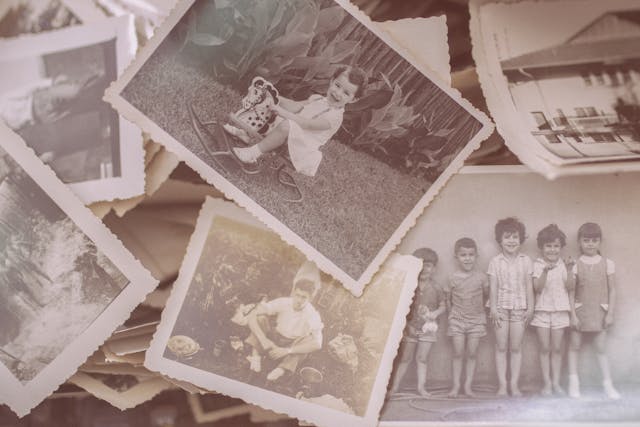
Photos are snapshots of our lives, capturing memories that words often fail to express. Your physical and digital photograph collections narrate the story of your life, making their preservation essential. The desire to preserve photographs is something as understandable as love for the things around us or nostalgia. The sooner you take the time to look after old photos, the better they will be preserved.
Photo management does not always mean working with printed photos. The digital universe should be in order, too. We will touch on this topic as well.
Get Your Digital Photos Organized
Use iCloud Photo Library
iCloud Photo Library is Apple’s cloud-based storage service that automatically backs up your photos and keeps them updated across all your Apple devices. Even if you lose your iPhone while traveling, your photos will still be accessible on your other Apple devices.
Optimize Storage on Your iPhone
Traveling often means taking countless photos, which can quickly fill up your iPhone’s storage. To avoid this, use the “Optimize iPhone Storage” feature. This option replaces older, larger files on your device with smaller, optimized versions, freeing up space for new photos. Enable this feature by navigating to Settings > [Your Name] > iCloud > Photos > Optimize iPhone Storage.
You can also remove duplicate photos from your phone with a snap. This free iPhone cleaner with AI searches for similar photos and cleans up your storage from them. You should get a CleanUp app if the number of unsuccessful duplicates is large or you simply do not have enough memory. When you use the app to clean up photos, you not only free up memory on your smartphone, but also tidy up your photo storage automatically.
Use a Photo Storage App
Several apps can help keep your photos safe while traveling by automatically backing them up to the cloud. Popular options include Google Photos, Dropbox, and Amazon Photos. These apps ensure you can access your photos from anywhere, providing peace of mind on your travels.
How to Store Old Photos?
1. Lay Photos Flat
Never roll your photos, as this can cause the front and back to stick together, leading to damage. Always lay your photos flat to keep them in good condition and easily accessible for reliving memories.
2. Avoid Adjustments
Photos stored in boxes or drawers might crease over time. Resist the temptation to flatten these creases yourself, as it could cause further damage. Avoid using chemicals on your photos. If preservation is necessary, seek professional help.
3. Label Carefully
Labeling photos with details like date, venue, and people can enhance your memories. Use an archival marker or a soft pencil on the back of the photo, avoiding ballpoint pens to prevent pressure damage and fading ink.
4. Use Acid-Free Materials
Modern photo albums labeled “acid-free” are best for storing photographs. These can be found in camera stores or art supply shops. Avoid old magnetic or peel-and-stick albums, which can cause yellowing. Remove staples, glue, tape, or rubber bands before storing photos, and separate stacked pictures with acid-free paper.

5. Ideal Storage Conditions
To preserve your photos, consider the following storage conditions:
- Humidity: Store photos between 15% and 65% relative humidity. Extremely dry conditions make paper brittle, while too much moisture can cause mold, mildew, and insect infestations.
- Temperature: Keep your storage area below 24°C. Low temperatures slow degradation and prevent ink from fading. Avoid areas with temperature fluctuations, like garages.
- Light: Keep photos out of direct sunlight and in dark locations to prevent fading. Long exposure to UV and fluorescent light breaks down images.
Digitize Your Photos
Digitizing your old photographs is essential for both preservation and enhancement. Printed photos degrade over time due to aging materials and environmental factors, making it unlikely that future generations will enjoy them. However, digital photos can last indefinitely if scanned and stored correctly on reliable platforms.
For best results, scan your old photographs at a high resolution to capture every detail. Organize these digital files with metadata such as dates, names, and locations to make them easily accessible. Sharing these digital memories with friends and family becomes effortless, providing everyone with a piece of history.
Conclusion
Your photos tend to accumulate and turn into a huge archive. However, they all require care and organization, even the digital versions. Use these tips to organize your digital and printed albums and prevent anything important from going missing.

Founder/CEO
Brian formed Living By Examplealongside Cynthia after working for two decades alongside international institutions for humanitarian aids and other efforts worldwide, may it be catastrophes made by men or nature. Brian built Living By Examplewith the hopes of bringing more cultural diversity across the internet.
He primarily writes amazing stories about cultures and shares different ideals with our readers through his stories. He believes that people empowerment is important especially during these trying times.